FreeBSD on a Laptop
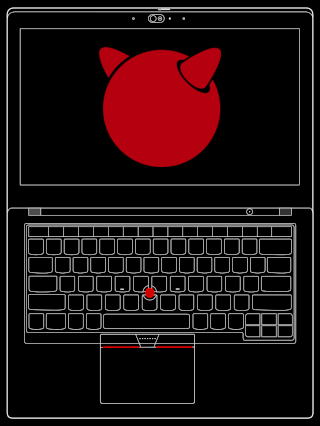
I’ve happily run various distributions of Linux for a number of years, but with little exposure to other Unix-like operating systems.
I want to explore different ways of doing things on a computer, and I’m curious about the Berkeley Software Distribution (BSD) descendants. I’ve briefly looked at OpenBSD and NetBSD.
Now I want to try FreeBSD with beginner’s mind.
Some of the best-supported and affordable BSD and Linux laptops are older Thinkpads. That is what I use here, and will share my notes as I explore and figure things out.
Onward!
- Uses This
- Installation
- After the First Boot
- Network
- SSH
- Power Management
- Brightness and Sound
- X Window System
- Openbox
- Upgrading
- Resources
Uses This
My primary laptop is a Lenovo Thinkpad T480s with the following specifications:
- Processor: 8th Gen Intel Core i5-8350U @ 3.60 GHz
- Graphics: Intel UHD Graphics 620 (Integrated)
- Built-in Display: 1920x1080 in 14“
- Storage: Samsung SSD 980 1TB
- Memory: 16GB DDR4 (8GB SK Hynix + 8GB Samsung)
- Ethernet: Intel I219-LM 1GbE
- Wireless: Intel Wireless AC 8265 802.11ac + Bluetooth
Installation
The FreeBSD Handbook has an extensive chapter on installing FreeBSD that covers a wide range of scenarios with descriptions of each possible choice. Its an invaluable resource maintained by volunteer contributors.
After performing a few installs, these are my personal notes of steps taken and choices made. A short and sweet version of the above Handbook HOWTO.
After the First Boot
After the first boot of my new installation, these are some extra steps I like to make right away to get a system off to a good start!
Network
Ethernet was configured during installation. Set up the wireless adapter. Combine the ethernet and wireless interfaces into a virtual interface to provide failover network capability should one of the interfaces become unavailable.
SSH
Configure SSH and create the necessary SSH keys that will be used to secure access to remote devices.
Power Management
I previously enabled powerd(8) for power management features that would be especially useful on a laptop. However, for laptops using an Intel CPU, this utility has been superseded by the hwpstate_intel(4) driver.
Brightness and Sound
Use the backlight(8) and mixer(8) tools included with the base system to set screen brightness and control the sound card. I also create keyboard shortcuts for the commands in the (Openbox) window manager configuration.
X Window System
FreeBSD does not include a graphical user interface in its base system. This is how I install and set up the X Window System (X11) before installing my preferred window manager or desktop environment.
Openbox
The Openbox window manager is an excellent foundation for crafting a lightweight and delightful desktop just the way I like it!
Upgrading
A new version of FreeBSD was released on June 10th. Its a minor version upgrade in the FreeBSD 14.x series: moving from 14.2 to 14.3, and its my first time trying to upgrade a FreeBSD system.
Resources
General
- The FreeBSD Project:
- Enjoy the various flavours of BSD served daily at the BSD Cafe
- BSD Weekly round-up of BSD news and articles
- Valuable News mostly related to UNIX and BSD systems by vermaden
Laptops and Desktops
- Why laptop support, why now
- Building a ‘Just Focus’ Laptop
- FreeBSD 14.2 and Thinkpad X220
- FreeBSD Desktop
You can like, share, or comment on this post on the Fediverse 💬
» Next: ZFS Snapshots and Backups Part 1: Getting Started with Snapshots
« Previous: Upgrading FreeBSD